
Managing your team's AI access
Cognishine's AI features run within a monthly usage allowance for your organization. To protect that allowance, access to the AI activity creator — our most powerful AI feature — is turned off for every user by default. This article explains what your users can do out of the box, and how to give specific people access to the AI activity creator.
What your users get by default
Once AI is enabled for your organization, every user automatically has access to the general AI features (for example, Comprehension AI). You don't need to do anything to switch these on.
The one exception is the AI activity creator. Because it uses significantly more of your allowance, no user can access it until you deliberately grant them a plan.
See who has access
Go to Organization Management → Users. The AI Creator Plan column shows each user's current level at a glance.
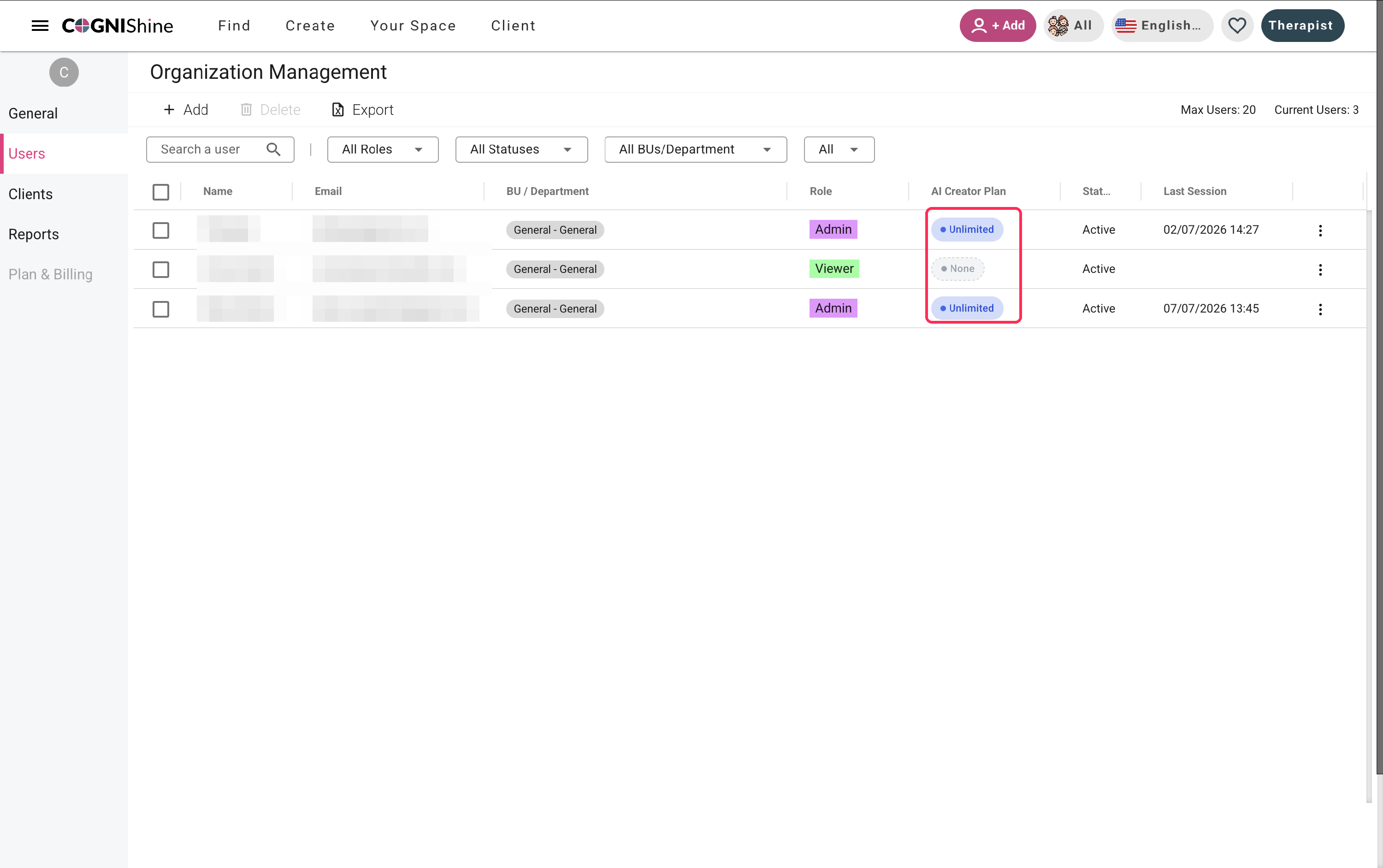
The four AI creator access levels
When you assign a user, you choose one of four levels:
| Level | What it means |
|---|---|
| None | No AI Creator access — the user can't generate activities with AI. This is the default for every new user. |
| Basic | For light use — occasional AI-generated activities. |
| Premium | For high-volume creators who use AI frequently. |
| Unlimited | No per-user cap — bound only by your organization's total monthly limit. |
Basic and Premium apply a per-user cap, so one person can't accidentally use up the whole organization's allowance. Reserve Unlimited for the few people who genuinely need it — usually admins.
How to assign a user to a plan
- Go to Organization Management → Users.
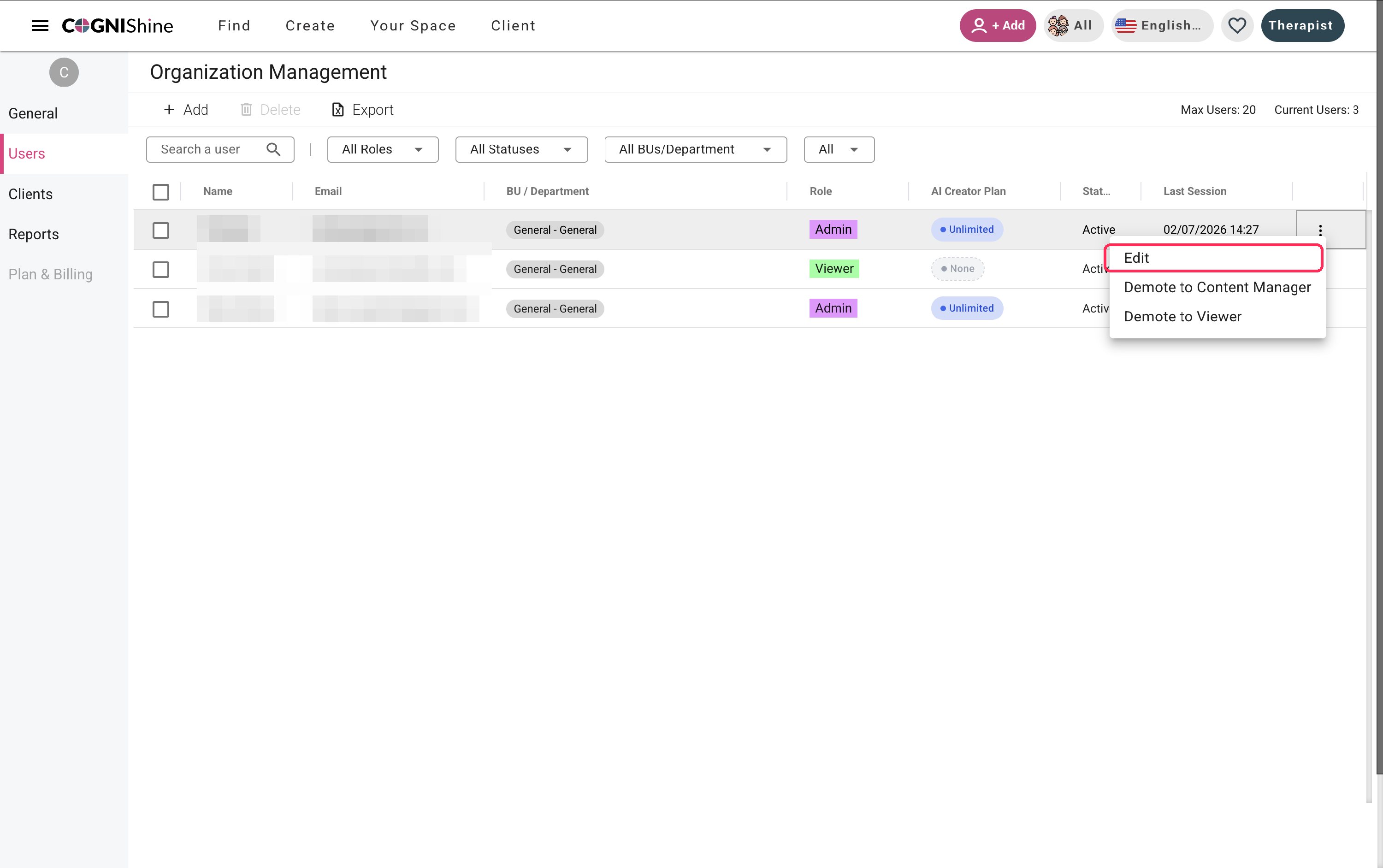
- Click the three dots at the end of the user's row and choose Edit.
- In the Edit a User window, choose None, Basic, Premium, or Unlimited.
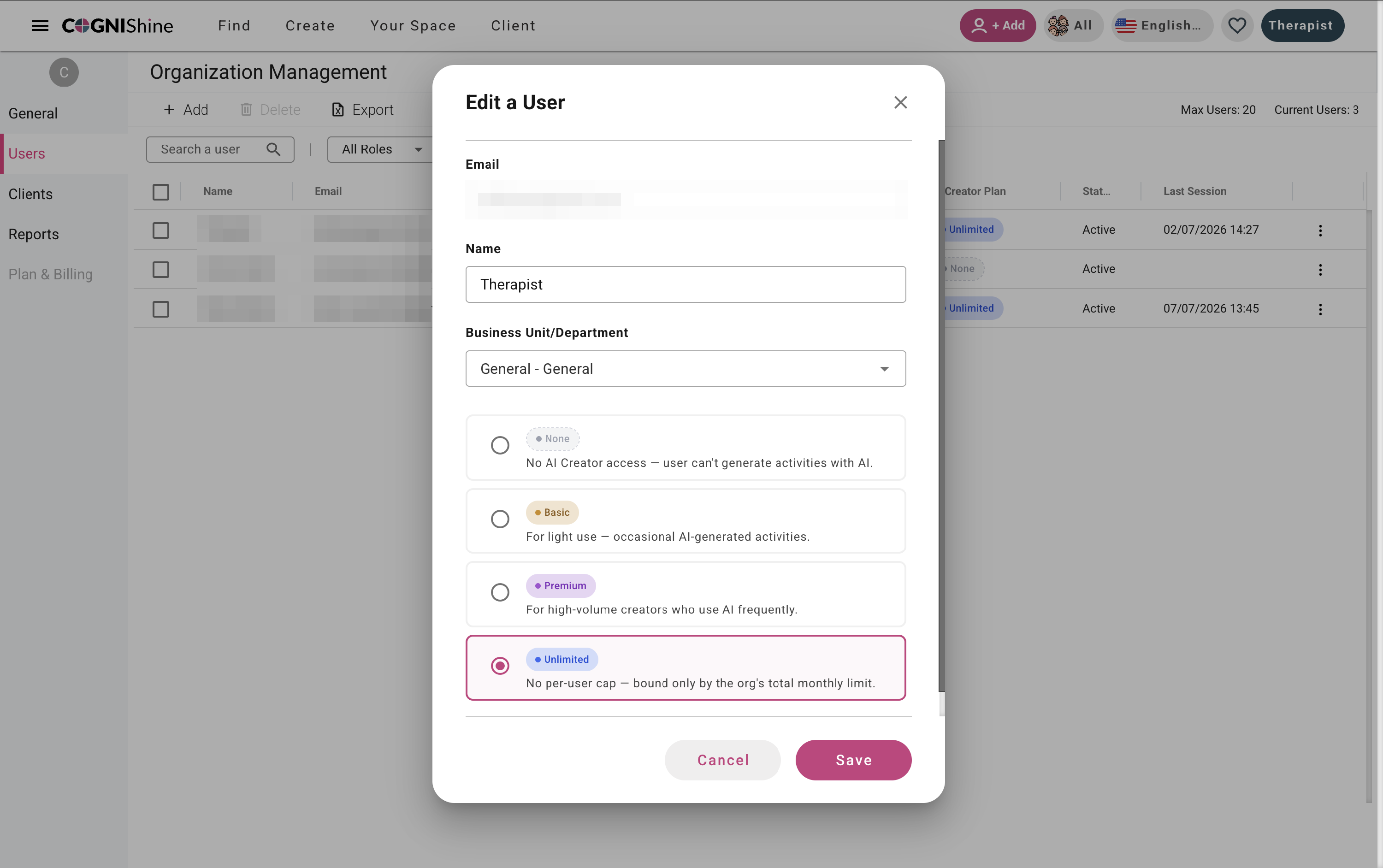
- Click Save.
The user now has that plan and can start using the AI activity creator at the level you set. You can come back and change a user's level at any time using the same steps.
Tips
- Start most users on Basic or Premium so your allowance stays predictable.
- Use Unlimited sparingly.
- If a user reaches their limit, they simply can't use the AI activity creator more that month — it won't affect anyone else's access.